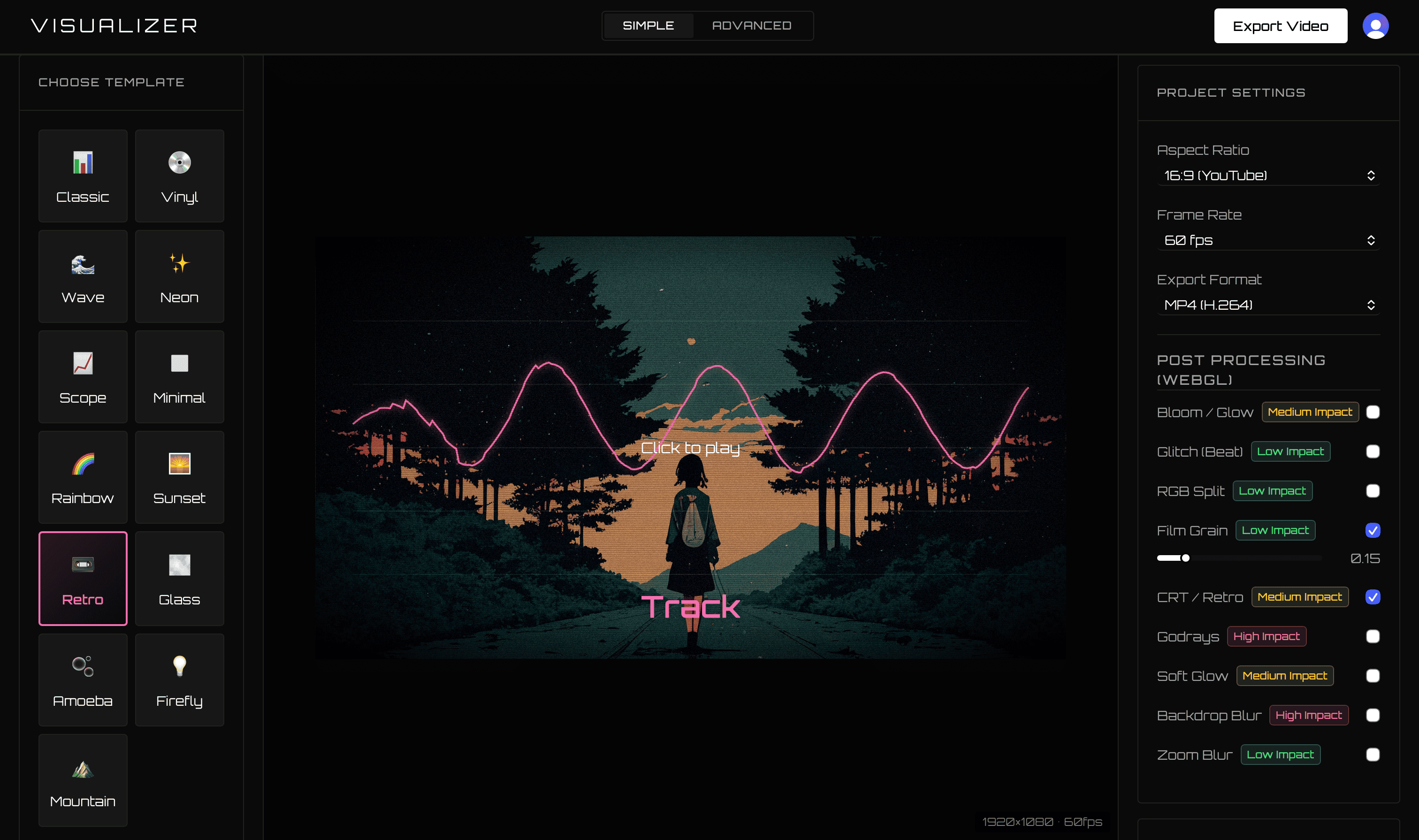
WaveVisual and VisualizerWave both turn audio into visual material, but they are designed around different outcomes. WaveVisual primarily creates printable or digital soundwave artwork. VisualizerWave creates full audio-reactive music videos for YouTube, TikTok, Reels, Spotify Canvas, and extended mixes.
If the goal is a release video rather than a soundwave print, VisualizerWave is the better fit—and better long-term value.
Comparison last checked September 2026 using WaveVisual’s official homepage, pricing, and FAQ information.
VisualizerWave vs WaveVisual
| Feature | VisualizerWave | WaveVisual |
|---|---|---|
| Pricing | $19 one-time lifetime license | $9 per design, $14/month annually displayed subscription, or credit packs |
| Primary purpose | Audio-reactive music videos | Soundwave artwork, prints, gifts, and digital designs |
| Export allowance | Unlimited | Per design, subscription, or credits |
| Video motion | Visualizer, background, text treatment, and beat effects | FAQ says only soundwave bars animate; other elements stay static |
| Resolution | Up to 4K video | High-resolution print files and selectable video sizes |
| Local processing | Media and final render stay on your device | Audio is analyzed by the web service; official FAQ says it is not stored |
| Project workflow | Portable project includes audio and artwork | Online saved design workflow |
| Best use | Publishing music releases | Printable soundwave art and QR-linked keepsakes |
Pricing for one design vs an entire catalog
WaveVisual’s official pricing lists a single digital design at $9, an unlimited subscription displayed at $14 per month when annually selected, and a 100-credit pack at $39.
VisualizerWave costs $19 once and includes unlimited exports. Two single WaveVisual designs already approach the complete VisualizerWave lifetime price.
For an artist publishing several singles, beats, or client projects, VisualizerWave removes both per-design payments and recurring subscription costs.
Artwork and music videos are different jobs
WaveVisual is useful when the finished product is a print, poster, SVG, PDF, QR-linked gift, or a simple animated soundwave design. Its FAQ states that video export animates the soundwave bars while backgrounds, text, and other elements remain static.
VisualizerWave is built around a complete moving composition:
- Waveforms, spectra, radial forms, bars, oscilloscopes, and other templates.
- Beat-reactive zoom, shake, and glitch.
- Post-processing and genre-oriented effect presets.
- Artist and title layouts designed for video-safe areas.
- 16:9, 9:16, 1:1, and 4:5 output.
This makes it a publishing tool rather than an artwork-order tool.
Private local rendering
WaveVisual’s FAQ says uploaded audio is used to create the visualization and is not stored on its servers. VisualizerWave goes further by keeping the processing pipeline on the customer’s device: analysis, recovery, previewing, packaging, and final video encoding all happen locally in the browser.
For unreleased songs and client masters, the source media does not need to enter a VisualizerWave remote-rendering workflow.
Choose the tool based on the deliverable
Choose WaveVisual when the intended product is printable soundwave art, a wedding or voice-message gift, or a QR-linked static design.
Choose VisualizerWave when you need:
- Full-length music videos with continuous audio reaction.
- 4K MP4 or WebM options.
- Unlimited releases for one $19 payment.
- Portable projects containing the source media.
- Beat effects, post-processing, and multiple social formats.
For musicians searching for a WaveVisual alternative to publish songs—not print them—VisualizerWave is the purpose-built choice.
Create unlimited music visualizer videos for $19 once.
WaveVisual is a trademark of its respective owner. VisualizerWave is not affiliated with WaveVisual.