The right wave visualizer for FL Studio depends on your output. Use Wave Candy to watch a waveform while producing. Use ZGameEditor Visualizer to render a music video inside FL Studio. For a separate browser workflow, export your finished track as a WAV and import it into VisualizerWave.
VisualizerWave is a ZGameEditor alternative for making videos from finished audio. It does not load an FL Studio project or connect to its mixer as a plugin. That boundary matters if you want a visual to follow one instrument rather than the combined track.
FL Studio instructions below were checked against Image-Line's current manuals on October 22, 2026. They are documentation-based steps; this comparison does not claim a new FL Studio rendering test.
Choose between monitoring and making a video
| Your task | Starting point | What drives the visual? |
|---|---|---|
| Inspect a waveform while mixing | Wave Candy in a mixer effects slot | Audio reaching that mixer track |
| Make a video with access to the production session | ZGameEditor Visualizer | Selected audio sources and supported FL Studio controls |
| Design a release video after the mix is finished | WAV export → VisualizerWave | The imported audio file |
A waveform traces signal amplitude over time. A spectrum separates frequency activity. Both can produce music visuals, but a row of moving bars is not a time-domain waveform. The waveform versus spectrum guide shows the difference with silent animations.
Wave Candy: a waveform while you work
Image-Line documents Wave Candy as an analysis plugin with oscilloscope, spectrum, vectorscope and metering views. Load it into an effects slot on the mixer track you want to inspect, then choose Oscilloscope for a waveform.
The special Current (C) mixer track follows the selected track and is useful when inspecting different parts of a mix. Use Window to change the time window and Gain to adjust the display. These are viewing controls; changing display gain does not repair clipping in the source.
Choose this route when the result you need is a monitoring window. For a finished video with artwork and titles, continue with one of the two workflows below.
ZGameEditor: make the video inside FL Studio
ZGameEditor supports layered scenes, audio sources and automation. Its Wizard also offers premade visualizations, so a native video does not require designing every layer yourself.
Image-Line's documented starting workflow is:
- Load ZGameEditor Visualizer in a mixer effects slot receiving the audio you want to visualize.
- Open Wizard, choose a preset and edit the song title, author, background and foreground.
- Set Audio source and play the project to check the reaction.
- Choose Continue to render and save video, or Export to Video from the Main tab.
- Choose an output preset. The manual lists YouTube HD, 1920 × 1080, alongside 4K and vertical presets. Confirm the settings, then start the FL Studio render.
Check Use final (post master) audio when you want the mastered output as the video's soundtrack. The audio driving a visual layer and the audio included in the finished video are separate decisions.
This is the stronger fit when you want mixer routing or automation to remain part of the visual design.
Export an FL Studio track to VisualizerWave
The handoff is a rendered audio file. Keep the .flp project for future production changes; import the WAV into the visualizer.
1. Render the finished mix
In FL Studio, choose File → Export → Wave file. For a complete release, check:
- Mode: Full song, rather than the current pattern. Clear an unintended Playlist time selection before exporting.
- Tail: Leave remainder when you want reverb and delay to decay beyond the song's endpoint.
- Channels: Stereo for a stereo master.
- Split mixer tracks: Off for this single-file handoff.
- Master and insert effects: Include the processing intended for the release.
Use an ordinary 16-bit or 24-bit PCM WAV and retain your intended sample rate. Listen to the rendered file, including the ending, before making the video. A .mid contains note data rather than the sound of your FL Studio instruments; it cannot replace this audio bounce.
2. Build the browser composition
Import the WAV into VisualizerWave. Choose a landscape composition for a regular YouTube upload, or a separate vertical layout for a short preview. Add your artwork and artist/track text.
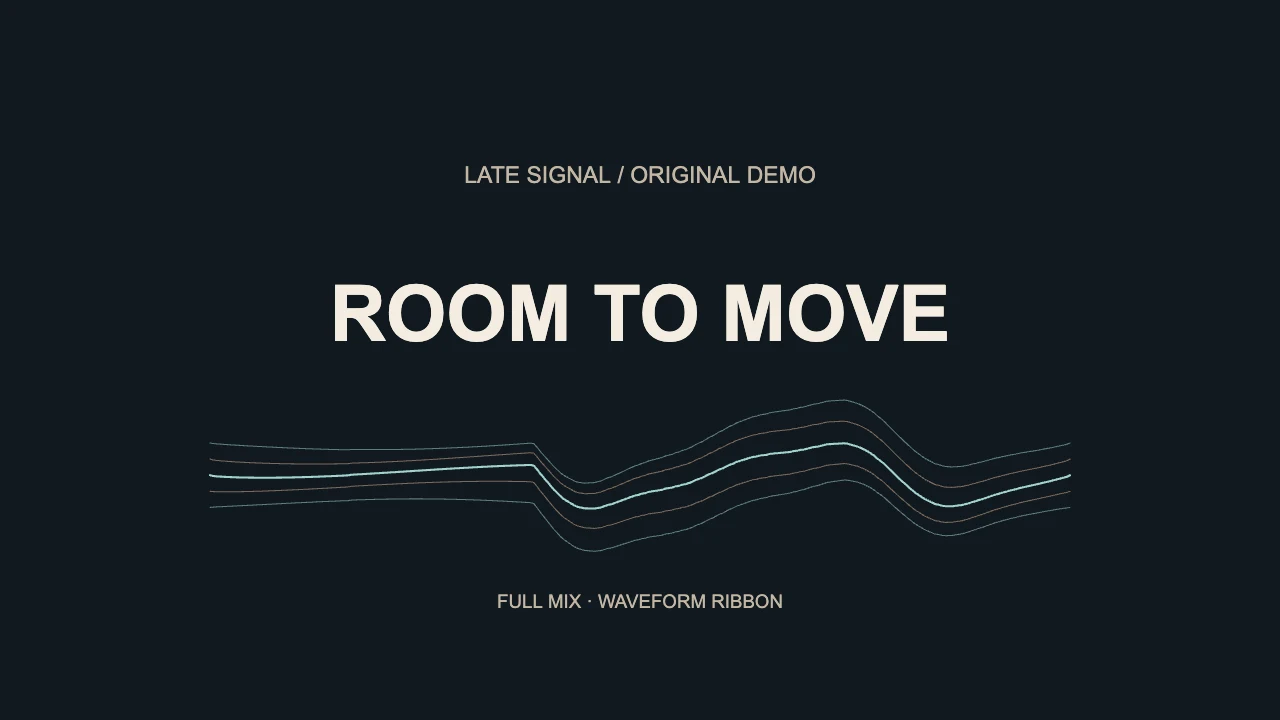
For an audio-driven line, select the visualizer element and choose Waveform Ribbon in Style. It uses the full mix, with decorative drift in the strands. It is a creative visual rather than a calibrated oscilloscope.
Start with Movement 0.8 and Scale 0.8, then position the ribbon below the title. These are the settings from our existing worked example, not a guaranteed fit for every mix. Check a quiet passage and the strongest section. Waveform Ribbon has no Smoothing control in the contextual inspector; reduce Movement if the excursions are excessive.
Reused actual VisualizerWave renderer output from our waveform animation tutorial: six seconds, 1280 × 720, 30 fps, with no audio track. It illustrates layout and movement, not an FL Studio session or a new export test.
The worked waveform tutorial shows the exact position settings and the before-and-after layout. For artwork, producer tags and upload presentation, use the type beat video guide.
3. Check an exported section
Run the compatibility test, then export a short section using a format available on your browser and device. Open the saved file and check the title, motion and soundtrack before rendering the complete release.
VisualizerWave offers MP4 and WebM, with higher resolutions including 4K on compatible devices. Audio analysis and video rendering run locally in the browser. The paid license is $19 once, with unlimited exports.
What changes when you bounce the mix?
Consider a beat with kick, bass, hi-hats and a synth. You want the artwork to move only when the kick hits:
| Input/control choice | What remains available | What that means for the design |
|---|---|---|
| An isolated kick routed inside FL Studio | A dedicated instrument signal | A native visual can follow that source while the video uses the final master audio |
| One stereo WAV of the complete beat | Kick, bass, hats and synth combined | The visual follows the mix; a bass-focused spectrum may respond to both kick and bass |
| MIDI note data | Notes and their timing, without the instrument audio | Useful for a note-driven design, with a separate soundtrack workflow |
Exporting a full mix removes access to its separate mixer tracks. A frequency selector cannot reliably turn that mix back into isolated instruments. Waveform Ribbon specifically uses the full mix; choose a supported spectrum style when you want frequency-focused movement.
If the song arrangement, mix or producer tag changes, render a revised WAV and replace the audio in the visualizer project. Keep the same layout if it still suits the new recording, then recheck the strongest passage and ending.
Which workflow should you keep?
Choose ZGameEditor if the visual design depends on FL Studio routing, automation or custom layers. Image-Line currently lists Video Visualizer (ZGameEditor) and Wave Candy in all FL Studio editions. If you already own FL Studio, try that included workflow before buying another editor.
Choose VisualizerWave if you want to finish the music first and work on the release video in a separate browser editor. You can save a portable .visualizerwave project with its media and settings, then reuse the composition for another track.
Create a release video with VisualizerWave for $19 once.
FL Studio and ZGameEditor Visualizer are Image-Line trademarks. VisualizerWave is not affiliated with Image-Line.