Let the artwork lead. Let the music move it.
Keep your release art as the focal point and surround it with a spectrum that responds to the track. One image can become a coherent video across your release channels.
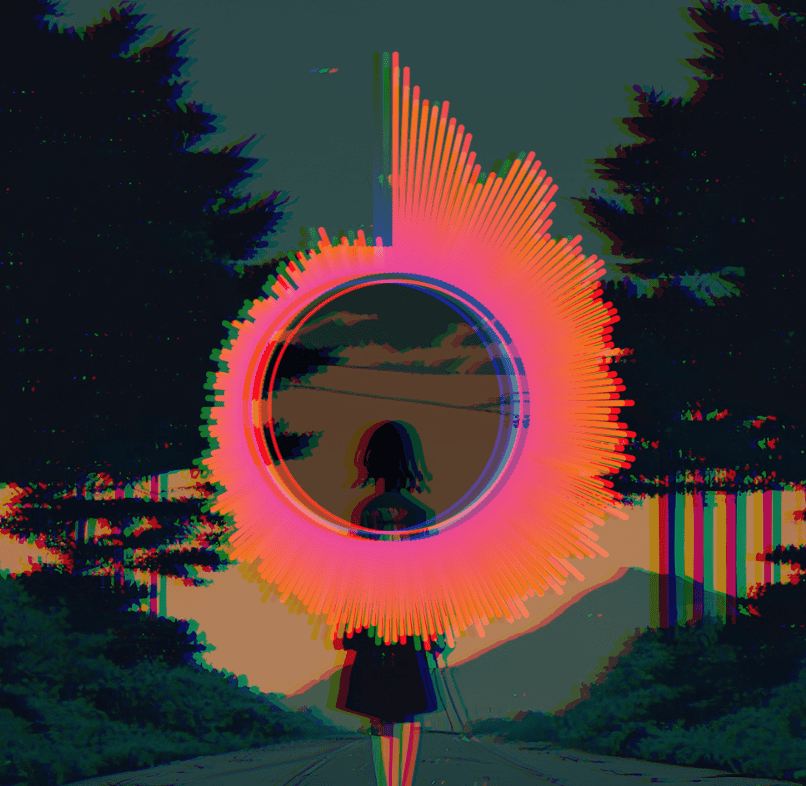
Your cover, not a stock visual
Cover Focus uses your image twice: a softened full-frame backdrop and a smaller, sharp artwork panel in front. Split Spectrum places outlined audio bars beside the artwork. Both start with artist and track text already on the canvas.
Make it in three moves.
Add the release art
Upload the best-resolution PNG, JPEG, or WebP you have. Check that any title printed on the image is not cropped by your chosen frame.
Choose the composition
Pick Cover Focus for a centered art-led layout, or Split Spectrum for motion on both sides. Fine-tune color, blur, and text placement.
Export for each channel
Render a 16:9 YouTube version, then revisit the project in 9:16 for a vertical post. Review the layout after each ratio change.
Keep the art recognisable
Strong cover art already carries the identity of the release. Use motion around it, not over every important detail. A restrained spectrum can make a static cover feel alive while preserving faces, lettering, and logos.
- Use a sharp source
- A small thumbnail will look soft when enlarged for a high-resolution export. Start with the original artwork file.
- Check text twice
- If the artwork already contains the artist or title, edit the template text layers to avoid repeating it.
- Keep a family resemblance
- Save the project and reuse a color and type treatment across singles from the same EP or album.
Good questions.
Can the same image be used as the background?
Yes. Cover Focus and Split Spectrum use the artwork as a softened backdrop while keeping a distinct foreground panel.
Can I remove the artist and title text?
Yes. They are editable layers, so you can change or hide them if your cover already includes typography.
Does the artwork leave my computer?
The editor uses the local image file for preview and rendering; it is not sent to a remote render server.
Make the visual.
Keep the music yours.
One payment, unlimited local exports. No render credits or monthly bill.