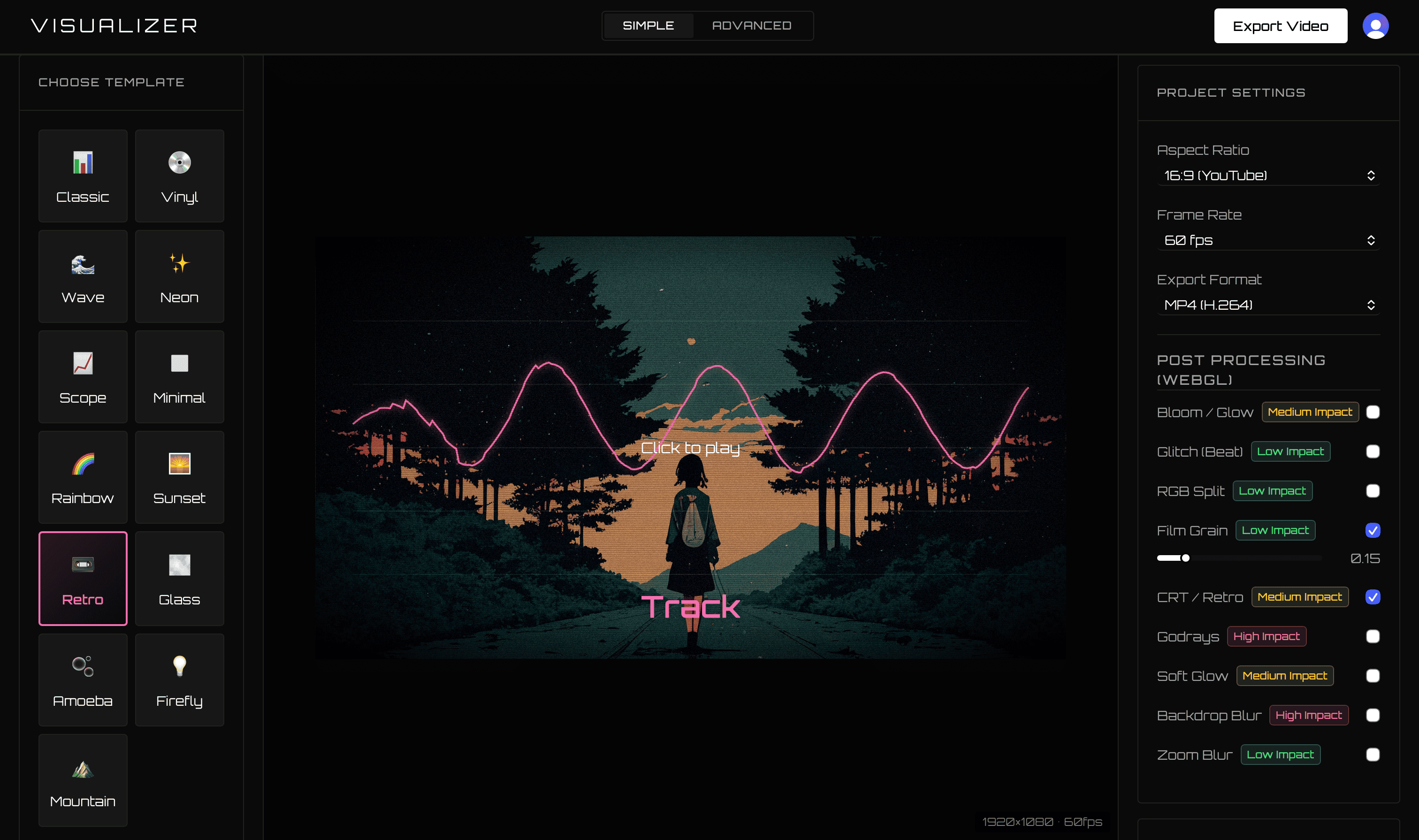
Banger.Show is a broad music-focused 3D video editor. VisualizerWave is a streamlined audio visualizer built for artists who want repeatable, locally rendered release videos without a subscription.
For musicians who need waveforms, spectra, artwork, titles, and social exports—not a 3D scene editor—VisualizerWave is the cleaner and less expensive long-term choice.
Competitor product and pricing details last checked September 2026 using Banger.Show’s official pages. VisualizerWave’s built-in 3D capability was updated here on October 20, 2026.
VisualizerWave vs Banger.Show
| Feature | VisualizerWave | Banger.Show |
|---|---|---|
| Unbranded paid price | $19 lifetime | $15/month Unlimited plan |
| Free option | Compatibility test and product preview | 10 exports/day with a short end card |
| Export allowance | Unlimited | Free daily limit or paid unlimited plan |
| Rendering | Local on your computer | Free on-device path; paid plan advertises background cloud rendering |
| Maximum output | Up to 4K MP4 or WebM | Paid plan lists 1080p at 60 fps |
| Long-form | Long Set mode plus direct-to-disk options | Official FAQ lists videos up to 60 minutes |
| Editor focus | Audio visualizers, built-in 3D shapes and artist branding | 3D models, scenes, camera keyframes, and music visuals |
| Project ownership | Portable local file with media and settings | Shareable service-based projects |
One payment instead of another creator subscription
Banger.Show’s official pricing lists a free tier with ten exports per day and a short end card. Its Unlimited tier is $15 per month and removes branding and daily limits while adding background rendering.
VisualizerWave costs $19 once. The current lifetime price is only four dollars more than one month of Banger.Show Unlimited, while including unlimited exports and future updates.
For a multi-year artist catalog, the difference is substantial.
4K release masters
Banger.Show’s paid plan currently advertises 1080p at 60 fps. VisualizerWave supports MP4 and WebM up to 4K when the customer’s browser exposes the required codecs.
The free compatibility test reports the available export paths and runs a local performance benchmark before a demanding job. This is particularly useful for 4K videos and long mixes.
Focused visualizer vs 3D video editor
Banger.Show includes 3D models, camera controls, lights, environments, keyframes, and audio-reactive elements. VisualizerWave provides built-in Chrome shapes with tint, bass response, separation and rotation controls inside its release-video workflow. The 3D audio visualizer guide demonstrates those shapes; a custom model-and-camera scene remains a broader task.
For a release visual, the focused workflow is:
- Upload the finished audio and artwork.
- Choose a visualizer template.
- Set title, artist, colors, frequency response, and movement.
- Add beat zoom, shake, glitch, or an effect preset.
- Export the platform-ready video.
That is easier to repeat for every beat or single than constructing a new camera scene.
Private local media and self-owned projects
VisualizerWave analyzes and encodes the video on the customer’s device. A portable .visualizerwave file can hold the source audio, artwork, metadata, and settings together.
Projects are optional, but they do not depend on a shared service link when you choose to save one. Local recovery and undo/redo protect quick experiments.
Which Banger.Show alternative should you choose?
Choose Banger.Show if building a 3D scene with models and animated cameras is the actual objective.
Choose VisualizerWave when you want:
- $19 lifetime access instead of $15 every month.
- 4K-capable audio visualizers.
- Unbranded unlimited exports.
- Local media processing and portable files.
- A faster artist-and-track workflow without 3D production overhead.
For most musicians who need a polished release visual rather than a 3D short film, VisualizerWave offers the better balance of speed, quality, privacy, and price.
Get VisualizerWave for $19 once.
Banger.Show is a trademark of its respective owner. VisualizerWave is not affiliated with Banger.Show.