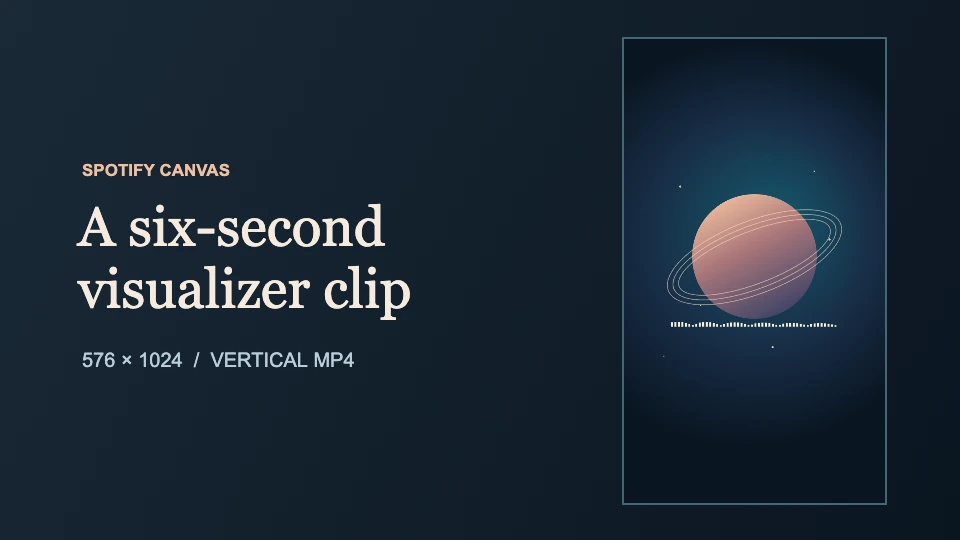
A Spotify Canvas is a short vertical visual that repeats behind your track in Spotify’s mobile Now Playing view. To make a moving Canvas from a VisualizerWave project, export a 3–8 second portrait excerpt, resize the MP4 to 576 × 1024 pixels, and attach it to the track in Spotify for Artists.
Spotify specifies a 9:16 frame that is 720–1080 pixels tall. VisualizerWave’s portrait 720p preset produces 720 × 1280, so even that preset needs resizing before the file fits Spotify’s published height range.
A measured six-second Canvas example
The spectrum layer uses VisualizerWave’s built-in preview motion. The animation has no audio track. The native render and resized file were both measured locally.
- VisualizerWave portrait source — 720 × 1280, six seconds
- Resized Canvas MP4 — 576 × 1024, six seconds
Both files contain 180 frames at 30 fps. The resize preserves the 9:16 composition. The still artwork holds the center of the frame while the bars move below it, so the restart stays fairly subtle when the bars reset. Play it through the repeat and watch the bars at the cut.
1. Compose for a phone’s Now Playing view
Set Video shape to Portrait in VisualizerWave. Start with a single recognizable element from the release artwork. Give it room near the center and place the spectrum or waveform where it supports the composition. Check the preview at phone size to catch thin lines, busy edges, and artwork that may be clipped on narrower displays.
Choose a passage that gives your visualizer the movement you want. A calm six-second excerpt is a useful starting point. Watch the last frame lead back into the first. If the bars jump, move the start or end point to another moment with similar movement or make the cut deliberate. Spotify’s Canvas can repeat at different points in the song, so make the motion work as a visual on its own. Leave release dates, URLs, and calls to action for your single announcement video.
2. Export the section as a portrait MP4
Load your track to drive the visualizer. Open Export, choose MP4, and start with 720p at 30 fps for the portrait source. Use Export only a section and choose In and Out points between three and eight seconds apart. For example, a section from 00:24 to 00:30 gives you six seconds. Check the export summary and play the saved file.
MP4 export options depend on your browser and device. The compatibility check shows what your setup supports. If you are working from a beat or melody loop, the loop visualizer guide explains how to find a clean musical boundary.
3. Resize the exported file to 576 × 1024
In a video editor with custom export dimensions, set the output to 576 pixels wide and 1024 pixels tall, with square pixels. Use the entire 9:16 frame and export an MP4. You can mute or remove the source audio for the delivery copy because Spotify plays the song separately.
If you already use FFmpeg, this is the command used for the example. Replace the input filename with the name of your exported file.
ffmpeg -i visualizer-portrait.mp4 \
  -vf "scale=576:1024:flags=lanczos,setsar=1" \
  -map 0:v:0 -an -c:v libx264 \
  -pix_fmt yuv420p -movflags +faststart \
  spotify-canvas.mp4
Check the saved MP4’s actual dimensions and duration in your editor or media inspector. A portrait preset labeled 1080p can give you a 1080 × 1920 file, which is suitable as a working frame and taller than Spotify’s Canvas limit. The video sizes tool includes a separate Canvas preset for the delivery copy.
4. Add the MP4 to the right track
In Spotify for Artists on the web, open Music, select the track, then choose Add Canvas. On the Spotify for Artists mobile app, open the track from Music and choose Edit Canvas. Check the preview to see how the artwork sits behind the Now Playing controls before saving.
If the file is rejected, start with the actual width, height, duration, and file type. If the Canvas option is missing, check the artist credit and your Spotify for Artists team role. Spotify documents Canvas access for eligible main artists with Admin or Editor access.
Explore VisualizerWave to make the portrait source for your Canvas. The one-time license is $19.