The best audio visualizer for a music video is the one that produces the file, layout and reusable workflow you need. For a basic free spectrum export, Audio-Visualizer.com completed our short MP4 test. For a branded composition with editable titles and portable projects, VisualizerWave offers a paid local workflow. If you prefer server-side rendering, Specterr is an option to evaluate against its current plan limits.
Disclosure: VisualizerWave publishes this guide. We completed exports using Audio-Visualizer.com's public interface and VisualizerWave's local rendering/export code. Specterr was reviewed through its official feature and pricing pages; we did not complete a Specterr export. These are conditional choices from a small evaluation, not an independent ranking of every visualizer.
Features and displayed prices checked October 18, 2026. The exported examples use original audio and show actual results, not generated interface screenshots.
First decide whether you need a video file
“Audio visualizer software” can describe very different products:
- A music-video creator combines your audio with graphics, artwork or titles and exports a finished file.
- A live playback visualizer responds while you listen or perform. Check how you would record and deliver its output before treating it as a video exporter.
- An analysis tool helps you inspect a recording through waveforms, spectrograms or measurements. Its main purpose may be studying audio rather than designing a release video.
This guide focuses on the first task. If you want a desktop audio visualizer for whatever is playing through your computer, check system-audio input and live display behavior separately. Importing a finished WAV is a different workflow from reacting to a streaming app.
For a closer look at analysis versus publishing, see the Sonic Visualiser comparison. For the shapes themselves, the waveform-versus-spectrum guide explains what each display represents.
If you are considering SoundSpectrum's listening visuals, the G-Force comparison examines current versions, personal-use licensing and the recording questions to resolve before a public release.
On a Mac, the Mac audio visualizer guide separates Music's built-in effects, native app inputs and browser video export, with a completed silent Mac MP4 check.
On a PC, the Windows music visualizer guide compares documented app inputs, distinguishes legacy players and explains what to check when visuals follow the wrong sound.
A short list by workflow
| Your priority | Option to evaluate |
|---|---|
| A basic free spectrum file | Audio-Visualizer.com — completed MP4 export |
| Titles, layout and reusable local projects | VisualizerWave — completed MP4 export |
| Rendering handled by a server | Specterr — documentation reviewed, export untested |
Choose by the job you repeat. A separate spectrum clip can be enough if you already assemble videos in another editor. If each release needs the same artwork treatment and title placement, evaluate how well a tool saves and restores that composition. If your device struggles to render, a cloud workflow changes who supplies the processing power, along with its upload and plan requirements.
How we checked the exports
We created one six-second mono WAV containing a quieter passage, a stronger passage and silence. We used the same file in both completed tests, in the same macOS browser environment reporting Chrome 155.
For Audio-Visualizer.com, we selected Mirror Bars, Dark background, Preview size export resolution and MP4 in the public interface. Other response controls stayed at their displayed defaults. For VisualizerWave, we loaded the file into a local fixture using the actual analyzer, scene renderer and video exporter, with the Mirror Line design and manually written titles.
We checked whether each download contained real video and non-silent audio, inspected decoded frames, and recorded the actual dimensions and duration. The completed files were:
- Audio-Visualizer.com: H.264 video at 738 × 384, with an AAC soundtrack; about 6.12 seconds overall.
- VisualizerWave: H.264 video at 1280 × 720, requested at 30 fps, with an AAC soundtrack; six seconds of video and about 6.08 seconds overall.
The resolutions, controls and export paths differ. These examples establish completed short exports, not a controlled image-quality or speed contest. The browser download operation also stalled during the independent test, so we do not use its elapsed time as a rendering benchmark. Neither run proves full-song, 4K, phone or every-browser reliability.
Audio-Visualizer.com: a free spectrum export to try
Price checked: free on the public tool page. Our test required no account or payment.
The interface puts file selection, visual style, color, response controls and export choices together. That makes it a candidate when the deliverable is an animated spectrum that you can use in an existing editing workflow.
Here is a frame decoded from the actual downloaded MP4:

Native output: 738 × 384. This is the downloaded result from our original test signal, not a reconstruction of the preview.
The frame illustrates why checking the file matters. The bars in this run occupy the left part of the image, with substantial dark space beside them. The preview canvas reported different pixel dimensions from the finished file. Inspect the framing and output size for your own settings rather than assuming the preview's dimensions describe the download.
The tested controls focused on the visualizer itself. We did not build a cover-art and title composition in this tool, test transparent output, or verify every advertised format. If you only need a basic free export, start here and assess whether the downloaded clip fits the next stage of your workflow.
VisualizerWave: a reusable branded video workflow
Price checked: $19 one-time, with unlimited exports.
VisualizerWave fits the task of composing an audio-reactive release video around your own media and labels. Its text, artwork and visualizer layers can form one design, and a portable .visualizerwave project can package the settings and media for later reuse.
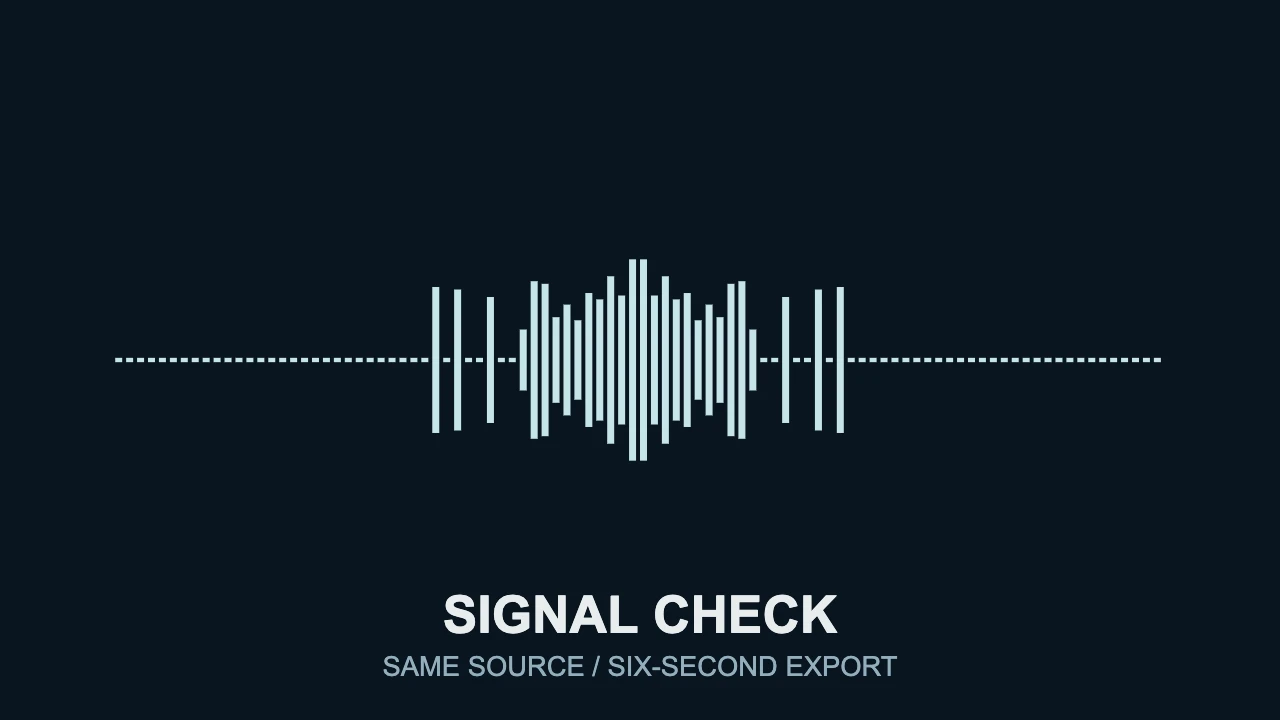
The cover image at the top of this article is our actual Mirror Line test render. It uses the same source WAV as the independent export, with a pale blue spectrum, dark background and separate title text. The minimal line tutorial explains that composition in more detail.
The completed short MP4 confirms that tested configuration. MP4/WebM support, comfortable resolution and longer renders still depend on your browser and device. Run the compatibility check and export a representative section before starting a full release.
Choose this workflow when keeping the artwork, labels and visual response together is useful across repeated videos. The creation guide covers the practical setup. VisualizerWave is a paid product; it is not the free option in this list.
Specterr: consider it when cloud rendering matters
Displayed price checked: the pricing page showed Pro at €15 per month, billed yearly at €180, with 60 videos per year, 1080p/60fps, a ten-minute video limit and no watermarks. This records the EUR annual offer displayed during our check, rather than a monthly-billed USD quote.
Its Free offer listed one video per day, 720p/30fps, a five-minute limit and a watermark. Confirm the current offer for your currency and billing choice before relying on those limits.
Specterr's official workflow describes uploading audio, choosing a preset, customizing images and text, then having its servers render the video. That can be relevant when you want rendering handled away from your own device. It also means evaluating upload requirements and the plan that covers your intended output.
We read those pages but did not upload the test signal or complete an export in Specterr. Its inclusion is a documented workflow alternative, not a measured performance recommendation. The dedicated Specterr comparison discusses its commercial model alongside VisualizerWave's local approach.
Use your own track to make the final choice
Before committing to an audio visualizer program, test a section that includes both quiet and busy moments. Then check the downloaded file for:
- The right deliverable: actual dimensions, aspect ratio, format and soundtrack.
- Readable identity: artwork and titles remain clear at phone size.
- Useful response: the visual follows the intended audio without crowding the composition.
- Practical limits: watermark, duration, export allowance and billing fit your release schedule.
- Reuse: you can return to the design and replace the media without rebuilding everything.
A cool audio visualizer becomes useful when its finished file works for the release. Start with the smallest test that answers those questions, then render the complete track. If VisualizerWave fits that workflow, see the one-time offer.